Proxima Magnifica

AOIDE
The Muse of Old Made New
We loved Winamp. Who didn't? It had a glorious run, but it's been 25 years. The world has changed. I feel it in the water. I feel it in my lower back. So we made AOIDE (pronounced I-O-D), a Winamp-inspired music player for Windows, Linux, and macOS. With an intuitive playlist manager it lets you manage YOUR music the way YOU want. Simple but powerful, beautiful but approachable. It's open-source but doesn't look like it. And it's free. Forever.
Get it
DOWNLOAD
Pick your machine and start listening. Free Forever — no sign-up, no trial, nothing to unlock later.
Official download
AOIDE 1.3
Windows · Linux · macOS
- Installer (.exe)67 MB
WINDOWS
Microsoft Store — listed as Aoide
- AppImage120 MBFlatpak bundle77 MBPortable (.tar.gz)129 MB
LINUX
- Disk image (.dmg)20 MB
MACOS
Verify your download
Every file above is published with the SHA-256 it carried when we uploaded it. Hash the copy that landed on your disk and compare the two strings: the same string means you have the file we published, whole and unaltered.
- Aoide-1.3-windows-x64.exe
7da3e14abe5e64dd0aaaaed9e34249031d6f962054fe2c7b3e86a4bf517408ea- Aoide-1.3-linux-x86_64.AppImage
7b90bf1cad3708b5e7a1c692d92ab8bdb840b0f7307f69e38a81270f2b6123b1- Aoide-1.3-linux-x86_64.flatpak
019f1b577bb18ebe95e44cc47330c2c990191e1013ba8de317d32486e9badc0c- Aoide-1.3-linux-x86_64.tar.gz
35c5681001ddb5115144ee604605f6fc2d7ae3a00981d83a31bd7caee53d0106- Aoide-1.3-macos-arm64.dmg
3410caaa42dcd743afa1df29cf50358958a9af9ac87ab01758429534f92ba091
- Windows
certutil -hashfile <file> SHA256 - macOS
shasum -a 256 <file> - Linux
sha256sum <file>
Have a look
THE FACE
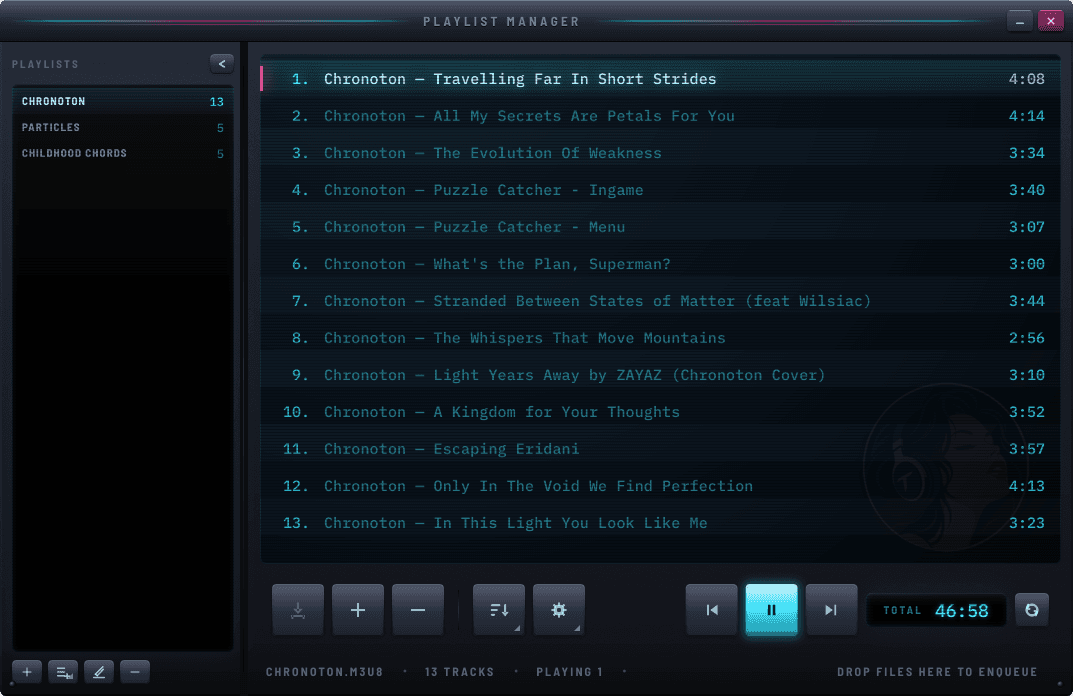
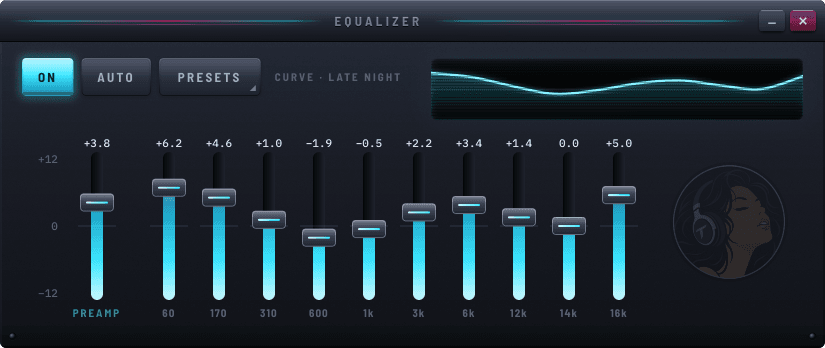
Look at it... just look at it...
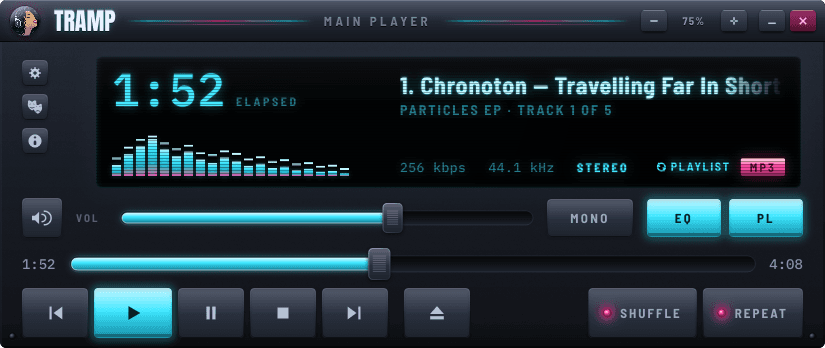
Change its face
SKINS
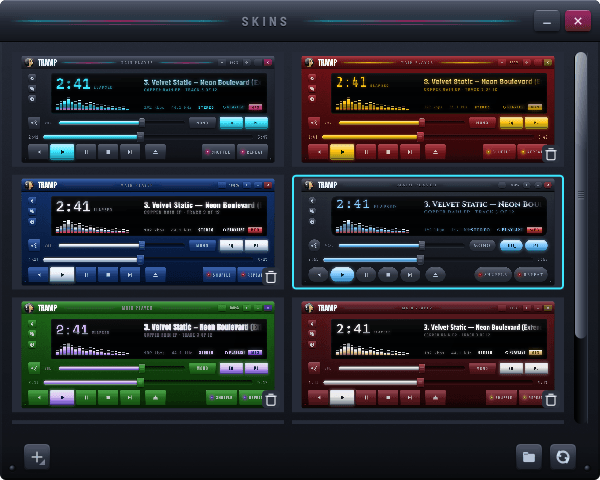
It's never been this easy to create your own look. You can even BYOF (Bring Your Own Font) and get real close and personal. We already created a few for you to get you started.
IT'S LIKE HAVING YOUR OWN PERSONAL
HULK
Not in the sense that you might smash something, but more like being unstoppable.
Why you'll keep it
THE PROMISE
Your playlists, your way
Drag tracks in, put them in the order you want, and save the playlist as a M3U or M3U8. Pick a handful of files and save them as a playlist of their own; it takes over without cutting off the track you're on. Or add ones you already have to the playlist manager. Reopen Aoide and it picks up where you left off.
Music to your ears
The MONO button is there for us freaks who sometimes listen to music with only one ear. There's also a ten-band equaliser with presets. Just like old times. You'll probably never use it, but just like we loved it in Winamp, we had to have it in Aoide too. The amplifier does come in handy though.
If Chuck Norris was a beautiful player
Double-click a song, drop a whole folder on the window, or send it over from any disk, USB or network drive. MP3, AAC and M4A, FLAC, WAV, Ogg Vorbis and Opus all play like butter on toast. Aoide reads the artist and album already written into your tracks, and leaves them alone.
Something off?
BUGS & WISHES
If Aoide misbehaves, or there's something you wish it did, we want to hear about it. Two ways in — pick whichever suits you.
In the open
GITHUB ISSUES
Bug reports and feature requests both live on the issue tracker. Have a quick look for an existing one first — if it's already there, add what you know instead of starting over. Everything is public, so you can watch a report go from filed to fixed.
Or quietly
EMAIL US
No GitHub account, or something you'd rather not post in public? Write to us instead. Tell us what you did, what happened, and what you expected — that's usually enough to get started.